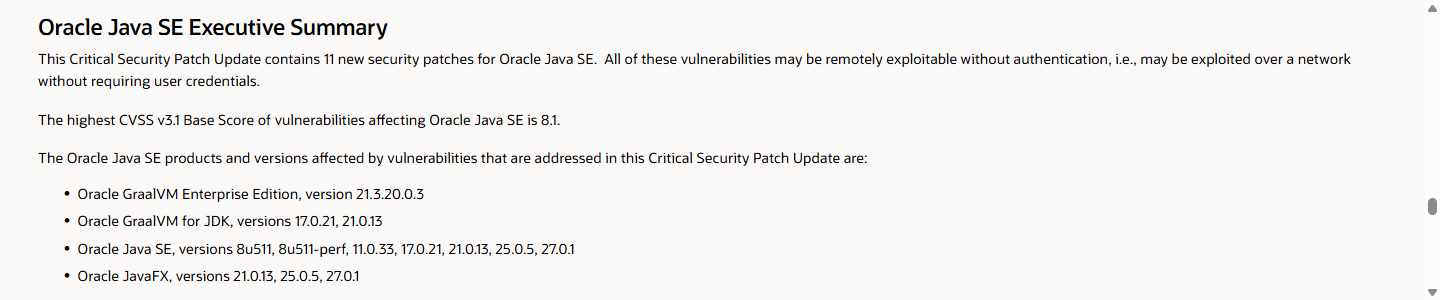
Oracle has announced 11 security patches for Java SE (Standard Edition) vulnerabilities that may be exploitable over a network without authentication. Developers should identify the distribution, version, and build of Java running in production. Security teams should start by checking internet-facing services and administrative interfaces. Oracle pre-release announcement
At the time of the check, November 17, 2026, at 15:12 Korea Standard Time (KST, UTC+9), Oracle's official page was still a pre-release announcement. The final release of this update had not been confirmed. Prepare the test environment and deployment and recovery procedures so the patch can be applied when it becomes available. Java update schedule
Java Vulnerability Discovered: Exploitable Without Authentication
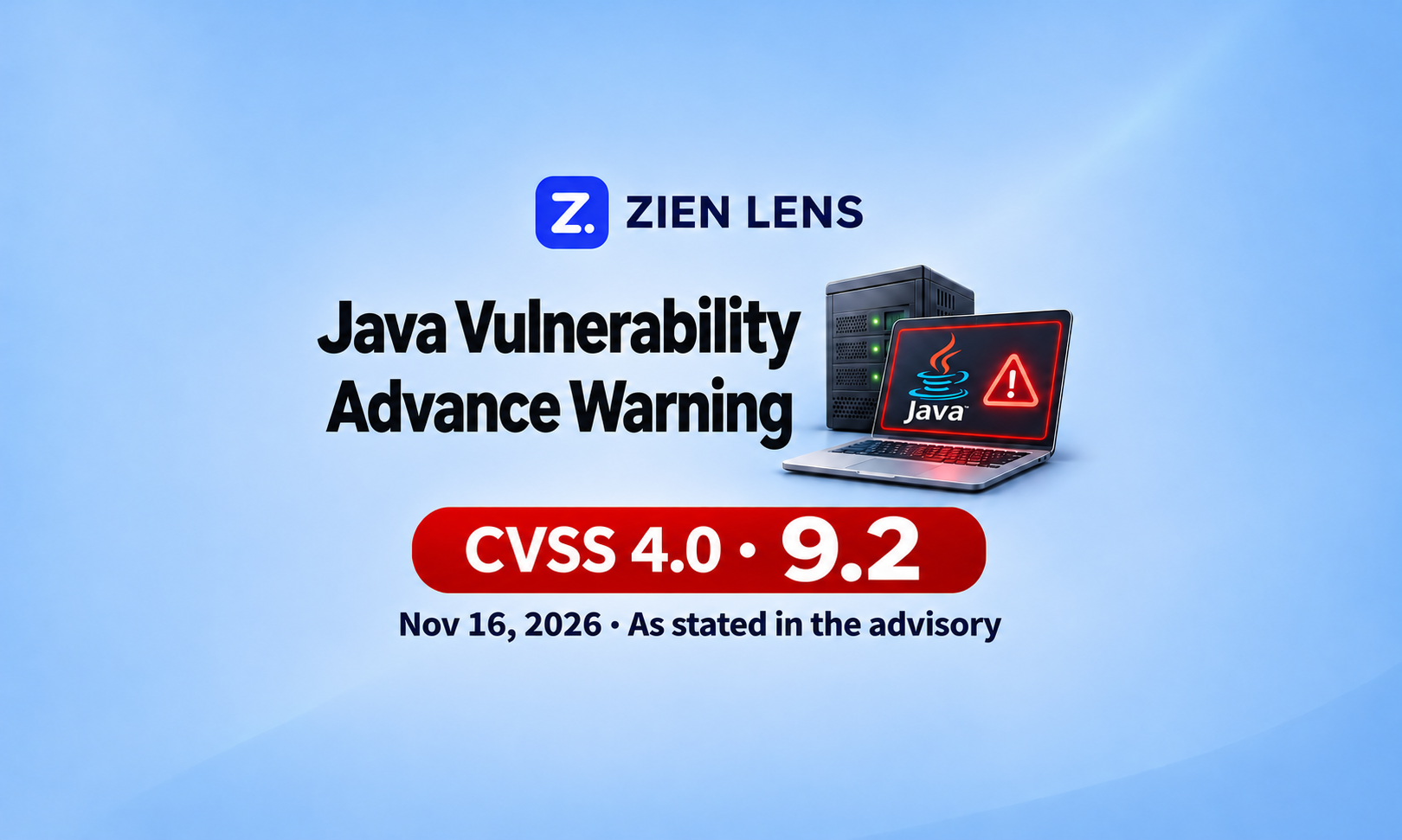
The advisory dated November 16, 2026, attributed to South Korea's National Cyber Security Center (NCSC), classifies the Java vulnerability as Critical. It gives a score of 9.2 under version 4.0 of the Common Vulnerability Scoring System (CVSS) and describes remote code execution (RCE) without authentication. It lists the affected systems as “OpenJDK Java 17.0.6 and later.”
Remote code execution means an attacker can run their own code in the service's execution environment. A successful attack could steal or alter data, or disrupt the service, using the service account's permissions. If authentication is not required, an attacker can attempt exploitation without first compromising an account. The actual impact depends on the process's permissions and the resources it can access. The supplied advisory does not disclose the vulnerable component or the specific conditions required for an attack. General consequences of code execution
Oracle's pre-release announcement lists a highest Java SE score of 8.1 under CVSS 3.1. This uses a different scoring system from the advisory's 9.2, and the Common Vulnerabilities and Exposures (CVE) identifiers have not been matched. The final advisory needs to establish whether this patch release includes a fix for the vulnerability described in the supplied document. Oracle Java SE notice
Start the review with internet-facing Java services. Assess each service by checking whether external requests can reach the vulnerable code and whether the conditions required for exploitation are present. Using Java alone does not establish that every service is vulnerable to remote code execution.
Oracle's November 17 security update is still scheduled for release
Oracle has scheduled its Critical Security Patch Update (CSPU) for November 17. Only the pre-release announcement was available when checked, and it did not specify an exact release time. A particular release time in Korea cannot be confirmed from that notice. Oracle release schedule
| Timing | What is known | Action |
|---|---|---|
| Advisory dated November 16 | The document attributed to NCSC recommends identifying affected systems and preparing for updates. The official original still needs verification. | Inventory production runtimes and externally exposed services. |
| Checked November 17 at 15:12 KST | Oracle's official page is a pre-release announcement listing 11 Java SE patches. | Assign someone to monitor the runtime vendor's notices and prepare the deployment procedure. |
| After the final patch release | Individual CVEs, affected configurations, and vendor-specific fixed versions need to be checked. | Match the advisory to assets, then test, deploy, and verify the running version. |
Oracle's Java operations site lists versions including 17.0.21.1 for Java 17 as upcoming updates. A planned version should not be treated as an available fix. If you use another distribution, such as Eclipse Temurin or Amazon Corretto, check that vendor's fixed version and release availability separately. Oracle Java version schedule
Identify runtimes, restrict access, and prepare to patch now
Development and security teams should work from the same service inventory. Record the service name, the distribution, version, and build of the Java runtime in use, external exposure, and the deployment owner. For container-based services, also record the container image and base image.
| Task | Developers | Security teams |
|---|---|---|
| Identify production runtimes | Record the Java runtime used by each actual process and container. | Consolidate the results and identify missing assets or owners. |
| Restrict external access | Distinguish required service ports from administrative interfaces. | Restrict unnecessary access through firewalls, security groups, and proxies. |
| Prepare patch deployment | Prepare test cases, image rebuilds, and deployment and recovery procedures. | Set patch priorities and deployment schedules for public and business-critical services. |
| Verify after deployment | Check the Java version in the new process and test key functions. | Compare deployment evidence against the fixed version and track unpatched assets. |
Developers should check the Java actually running the service
Do not use a version check on a development PC to assess a production server. Running java -version in the server shell only reports the executable found on that shell's current path. Check whether the service uses Java from a different location.
On Linux, find the running Java process and inspect its executable path. Replace <PID> below with the process ID you identified.
ps -eo pid,args | grep '[j]ava'
readlink -f /proc/<PID>/exe
If jcmd, a Java Development Kit (JDK) tool, is available, request the version directly from the running Java Virtual Machine (JVM). Run it on the same machine as the target JVM, with the same effective user and group IDs as that process. Oracle jcmd documentation
jcmd <PID> VM.versionThe following commands check the Java executable inside a container. Choose the command for Docker or Kubernetes and replace the values in angle brackets with the actual names. Docker documentation, Kubernetes documentation
docker exec <container> java -version
kubectl exec -n <namespace> <pod> -c <container> -- java -version
These commands report the version of a newly launched Java executable inside the container. If the service uses another executable, compare this result with the actual running process. Leave services marked as awaiting verification when a tool or permissions issue prevents the check.
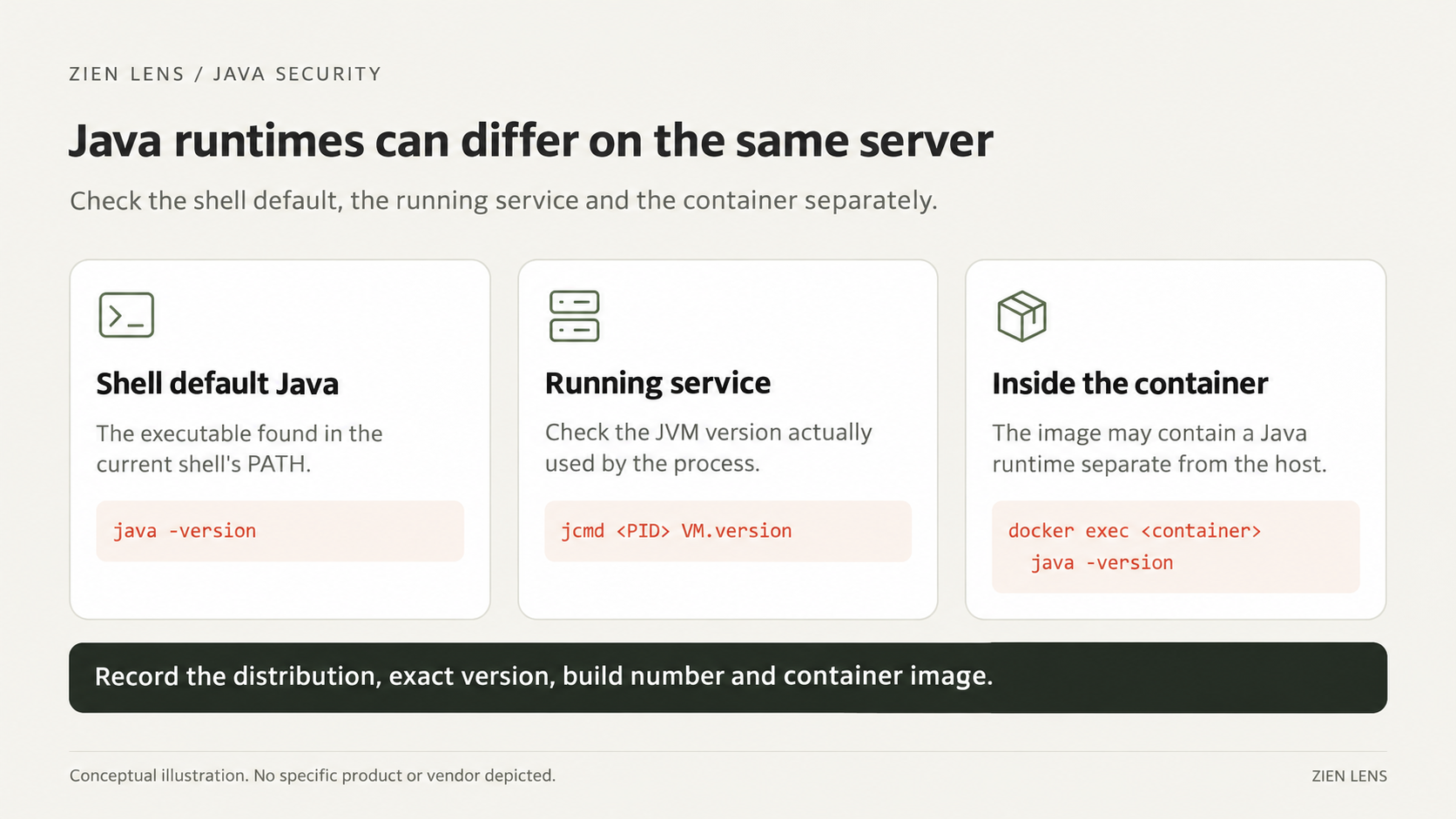
Security teams should restrict unnecessary external access
List the listening ports, then identify which Java process owns each relevant port. On Linux, use:
sudo ss -lntpA server's port list alone does not establish internet exposure. Trace the paths through which external requests reach it, including firewalls, cloud security groups, load balancers, and proxies.
For administrative interfaces that do not need public access, allow connections only from approved management networks or designated Internet Protocol (IP) addresses. After changing the settings, check normal connectivity with the service owner. Review unnecessary service-account permissions as well.
Access restrictions are temporary mitigations; they do not fix the vulnerable code. Web application firewall (WAF) rules cannot guarantee protection when the attack inputs have not been disclosed. Record temporary mitigations separately from patch status.
Test and deploy the patch, then verify the running version
Assign deployment owners and maintenance windows now. Prepare a test environment for key functions, authentication, and external integrations. For container-based services, check the Java version in the Dockerfile and base image, along with the build configuration, to prevent an older image from being deployed again.
When the final advisory is published, security teams should match its CVEs and affected versions against the asset inventory. Developers should test the fixed build from their runtime vendor and deploy it to production. Adjust the priorities initially set by internet exposure and service importance to reflect the disclosed attack conditions.
Rebuild containers with an image that includes the patched Java runtime, then redeploy. If Java files are replaced on a server, check for old processes that are still running and include the service restart in the change. After deployment, query the actual running JVM and compare its version with the vendor's fixed version.
Record the service name, applied version, deployment time, and functional test results. For services that remain unpatched, record the reason, temporary mitigation, and planned patch time separately. If a service is rolled back to a vulnerable version, return it to the unpatched asset list.
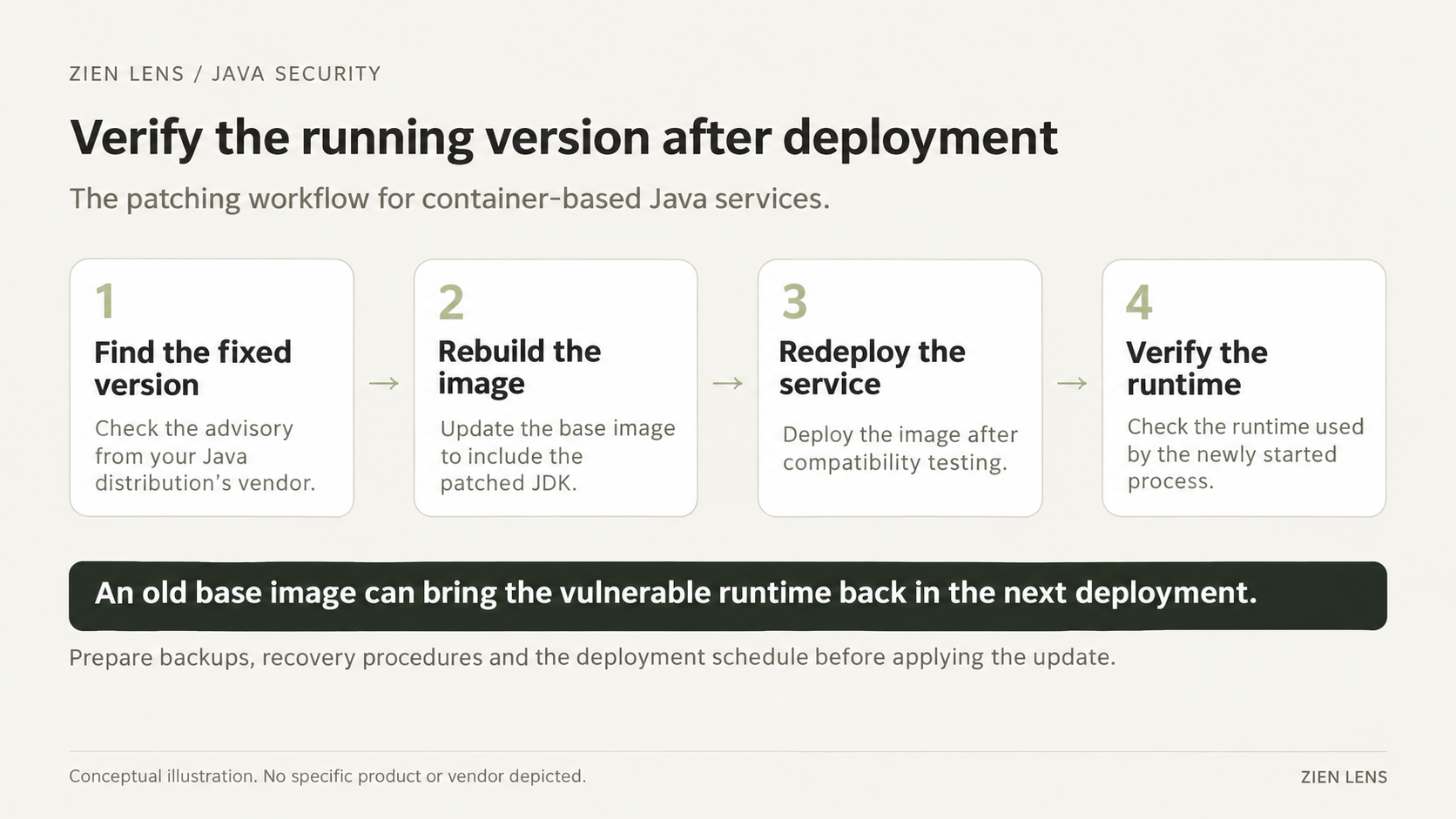
To identify patch targets, record the distribution, version, and build of Java running in each service, along with its container base image. A label such as “Java 17” is not enough to match a runtime precisely against a vendor's affected versions.
Z-BOM is ZIEN's supply chain security management platform built around the software bill of materials (SBOM). It links components to known vulnerabilities, so once the CVE for this Java vulnerability is published, the recorded component inventory can help identify affected products and versions and narrow the scope of the initial review. Z-BOM product overview
For the identified targets, check the actual running version, attack conditions, and external exposure to set patch priorities. After deployment, verify that the processes are running on the patched runtime.
References
- Oracle November 2026 CSPU pre-release announcement
- Oracle Java operations information and update schedule
- Oracle jcmd documentation
- Docker exec documentation
- Kubernetes exec documentation
When Oracle releases this Java security update, we will promptly share the fixed versions and the checks to make when applying them. Subscribe to ZIEN Lens to receive the follow-up notice.